
CLAWPUNK

Play as fierce feline heroes and battle villainous gangs to reclaim Feral City in this chaotic arcade adventure. Scratch, claw, and unleash your fury as adrenaline propels you through destructible environments.
8.71€
8.49€ 13% off
Interface: English, French, German, Spanish - S... View all
About the game
Prepare yourself for the ultimate adrenaline rush with CLAWPUNK, a pulse-pounding, melee-focused 2D action game infused with roguelite elements and an array of badass cat characters. Tear through a fully destructible environment, where every smash and bash rewards your reactive and aggressive play style. Aim for the highest score possible by laying to waste everything in your path!
Embrace the non-stop, "push-forward" gameplay that CLAWPUNK thrives on. Aggressive players are handsomely rewarded with devastating abilities, and while melee combat is at the heart of the game, you'll also find an arsenal of ranged weapons to annihilate your foes and flaunt your power!
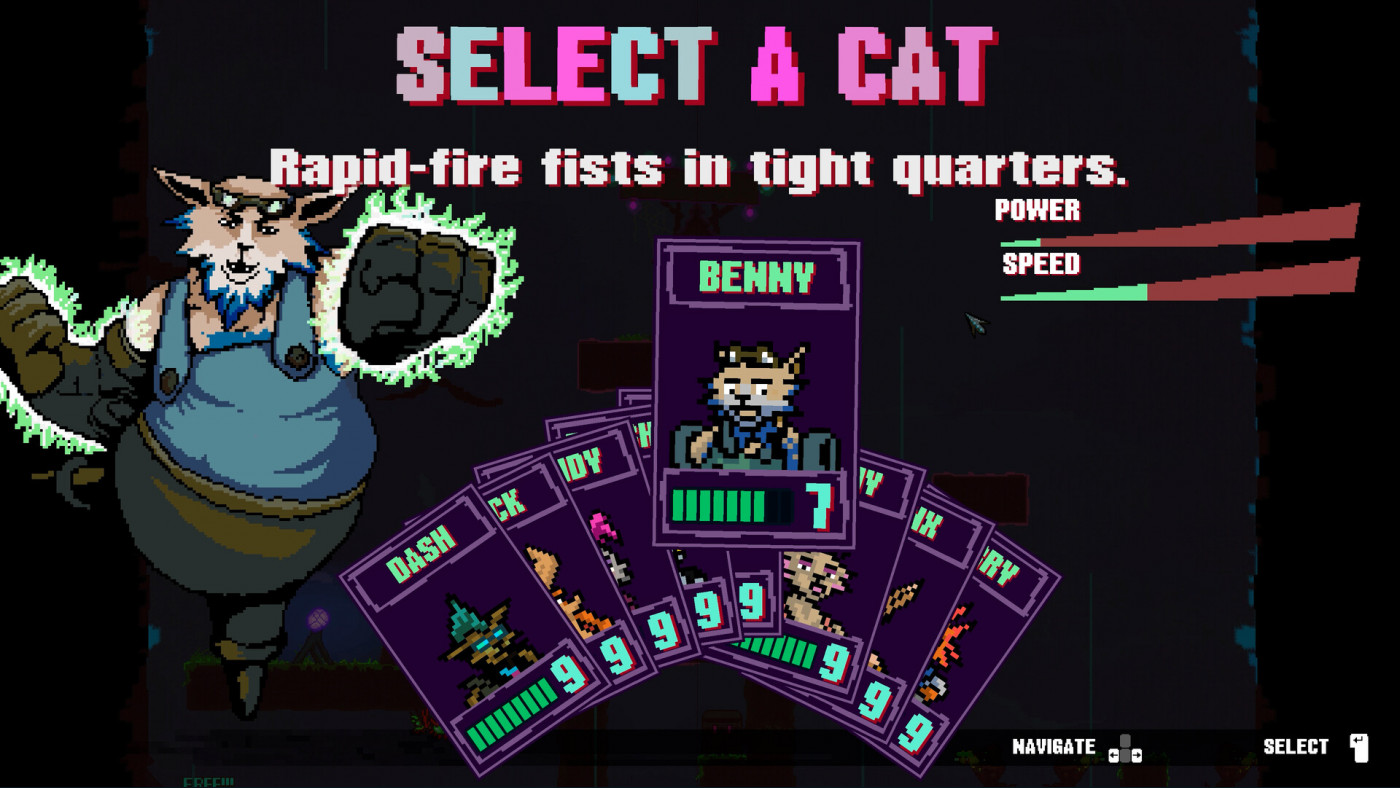
Choose from nine fierce cat characters, each boasting unique base stats, primary weapons, and powerful special attacks that recharge based on your performance (tracked by a combo counter). Roam through five distinct zones, the first four of which you can conquer in any order, each designed to challenge you with specific enemy types, from wide-open arenas for ranged combat to tight quarters for intense melee brawls.
KEY FEATURES:
SEMI-NON-LINEAR PROGRESSION: Battle through five level zones, with the freedom to tackle the first four in any order, all starting from a central hub level.
CHARACTER MANAGEMENT: Master nine unique cat characters, each with their own weapons and stats, to tailor your play style.
COLLECTABLE CARDS: Discover and collect special cards throughout your journey, permanently saving them to mutate and enhance your cats' abilities.
AGGRESSIVE GAMEPLAY: Dive into non-stop, push-forward combat that rewards daring players with powerful rage attacks for diving headfirst into the fray.
DESTRUCTIBLE ENVIRONMENT: Explore and defeat enemies creatively, or simply indulge in the sheer joy of destroying everything in sight!
CHALLENGING, YET ACCESSIBLE DIFFICULTY: Enjoy a scalable difficulty system that caters to both rookies and seasoned players seeking a formidable challenge.
80/90s RETRO THEME: Immerse yourself in a 1980/90s cyberpunk-inspired world, complete with a hard synth soundtrack, along with a pinch of metal, and gritty industrial/ambient soundscapes.
CLAWPUNK © 2025 Kittens in Timespace Ltd. All Rights Reserved. Published by Megabit Publishing, part of Aonic AB (publ). CLAWPUNK is a trademark of Kittens in Timespace Ltd. MEGABIT is a registered trademark of Aonic (AB) (publ)
Game details
| Platform | Steam |
| Developer | Kittens in Timespace |
| Publisher | Megabit Publishing |
| Release Date | 14.11.2025 18:00 CET |
Steam account is required for game activation and installation.
Windows Requirements
Minimum:
- OS *: Windows 7
- Processor: Intel i3 Processor
- Memory: 2 GB RAM
- Graphics: Intel HD Chipset
- Storage: 250 MB available space
Recommended:
- OS: Windows 10/11
- Processor: Intel i3 Processor or greater
- Memory: 4 GB RAM
- Graphics: NVIDIA GTX 700 Series or greater
- DirectX: Version 11
- Storage: 400 MB available space
How to Redeem a Product on Steam
-
1. Open the Steam Client or Steam Website
- Steam Client: Launch the Steam application on your computer.
- Steam Website: Alternatively, use a web browser to visit Steam's official website.
-
2. Log in to Your Steam Account
- If you're not already logged in, enter your Steam username and password to access your account.
- If you don’t have a Steam account, create one by following the on-screen prompts.
-
3. Navigate to the "Games" Menu
- In the Steam client, click on the Games menu at the top of the window. From the dropdown, select Activate a Product on Steam....
-
If you're using the website:
- In the top right corner, click on your profile name.
- Select Account details > Activate a Steam Product from the dropdown.
-
4. Enter the Steam Code
- A pop-up window will appear. Click Next.
- Enter the Steam code (the product key) in the provided box. This code is usually a 15-25 character string containing letters and numbers.
-
6. Finish the Redemption
- Once successfully redeemed, the game or content will be added to your library.
-
7. Download or Install the Product
- Go to your Library to find the game or content.
- If it’s a game, click on it and select Install to begin downloading.