
Dead by Daylight - Tokyo Ghoul

Dead by Daylight’s Tokyo Ghoul includes a new Killer, Ken Kaneki. Purchasing this add-on unlocks an exclusive Ken Kaneki badge and the Red Spider Lilies banner.
4.24€
4.21€ -1% off

Interface: English, French, Italian, German, Sp... View all
About the game
Dead by Daylight’s Tokyo Ghoul includes a new Killer, Ken Kaneki. Purchasing this add-on unlocks an exclusive Ken Kaneki badge and the Red Spider Lilies banner.
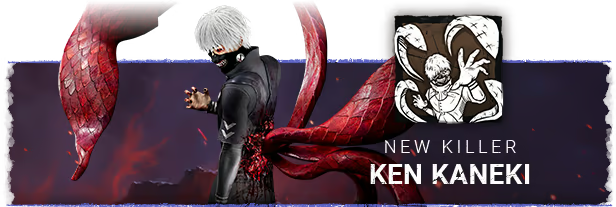
KEN KANEKI
Drawn into The Fog, Ken Kaneki’s ghoulish nature ran rampant, fueled by dark urges and insatiable hunger. If you see a black and scarlet eye blazing above a grotesque grin, it’s already too late…
Ken Kaneki Power: One-Eyed Terror
Special Ability: Kagune Leap
Tap into your Ghoulish abilities to charge and launch the Kagune, tentacles that attach to vertical surfaces propelling you forward. You can quickly chain a second Kagune Leap for additional mobility, allowing you to traverse the Map with heightened speed.
Hitting a healthy Survivor with your second Kagune Leap will damage them with a grab-attack, inflicting them with Deep Wounds and a Kagune Mark. You will then enter Enraged Mode
Special Ability: Enraged Mode
In Enraged Mode, you can perform up to three consecutive Kagune Leaps, propelling over vaults with superhuman speed. Enraged Mode remains active as long as a Survivor is afflicted with a Kagune Mark; they will lose the Mark if they are fully Mended or get downed.
If no Survivors are Marked, Enraged Mode will end after a brief countdown.

Ken Kaneki comes with 3 new perks.
Hex: Nothing But Misery:
Damage a number of Survivors to turn a Dull Totem into a Hex: Totem. While the Hex is active, Survivors will become briefly Hindered when hit with a Basic Attack.
Forever Entwined:
Whenever a Survivor takes damage, you gain 1 Token. For each Token, increase the speed you pick up, drop, and Hook Survivors.
None Are Free:
When you Hook a Survivor for the first time, gain 1 token, up to 4. When all Generators are completed, for each token, all Windows and upright Pallets are blocked for a duration.
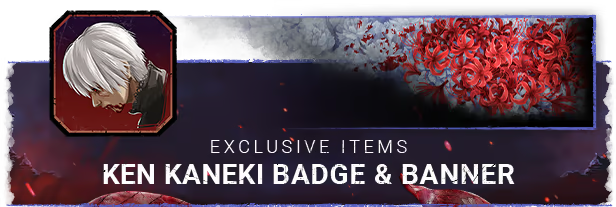
EXCLUSIVE CHAPTER ITEMS: KEN KANEKI BADGE AND RED SPIDER LILIES BANNER
The Tokyo Ghoul Chapter includes an exclusive Ken Kaneki badge and the Red Spider Lilies banner, only available as part of the DLC. Please note that these items cannot be purchased separately.
A new terror has arisen, fueled by insatiable hunger.
©Sui Ishida/Shueisha,Tokyo Ghoul Production Committee
© 2015-2025 and BEHAVIOUR, DEAD BY DAYLIGHT and other related trademarks and logos belong to Behaviour Interactive Inc. All rights reserved.
Game details
| Platform | Steam |
| Developer | Behaviour Interactive Inc. |
| Publisher | Green Man Loaded |
| Release Date | 02.04.2025 18:00 CET |
Steam account is required for game activation and installation.
This content requires the base game Dead by Daylight on Steam in order to play.
Windows Requirements
Minimum:
- Requires a 64-bit processor and operating system
Recommended:
- Requires a 64-bit processor and operating system
How to Redeem a Product on Steam
-
1. Open the Steam Client or Steam Website
- Steam Client: Launch the Steam application on your computer.
- Steam Website: Alternatively, use a web browser to visit Steam's official website.
-
2. Log in to Your Steam Account
- If you're not already logged in, enter your Steam username and password to access your account.
- If you don’t have a Steam account, create one by following the on-screen prompts.
-
3. Navigate to the "Games" Menu
- In the Steam client, click on the Games menu at the top of the window. From the dropdown, select Activate a Product on Steam....
-
If you're using the website:
- In the top right corner, click on your profile name.
- Select Account details > Activate a Steam Product from the dropdown.
-
4. Enter the Steam Code
- A pop-up window will appear. Click Next.
- Enter the Steam code (the product key) in the provided box. This code is usually a 15-25 character string containing letters and numbers.
-
6. Finish the Redemption
- Once successfully redeemed, the game or content will be added to your library.
-
7. Download or Install the Product
- Go to your Library to find the game or content.
- If it’s a game, click on it and select Install to begin downloading.