
PRAGMATA Deluxe Edition
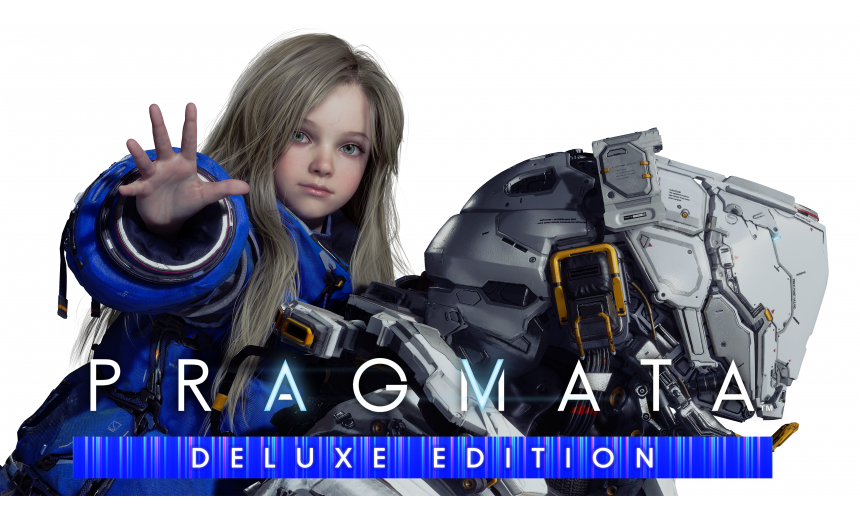

Capcom’s newest IP—PRAGMATA. An all-new Science Fiction action adventure with its own unique hacking twist! It is the near future, and protagonists Hugh and his android companion Diana, must work together as they make their way through the cold lunar research station.
59.02€
58.97€ 0% off
IMPORTANT NOTE: THIS IS A PRE-ORDER. YOU WILL FIND YOUR GAME KEY IN YOUR GAMERTHOR ORDER HISTORY ON 24.04.2026 00:00:00 CET
Interface: English, French, Italian, German, Sp... View all
About the game
*The licenses for the items in this set can be purchased individually. Please be careful of duplicate purchases.
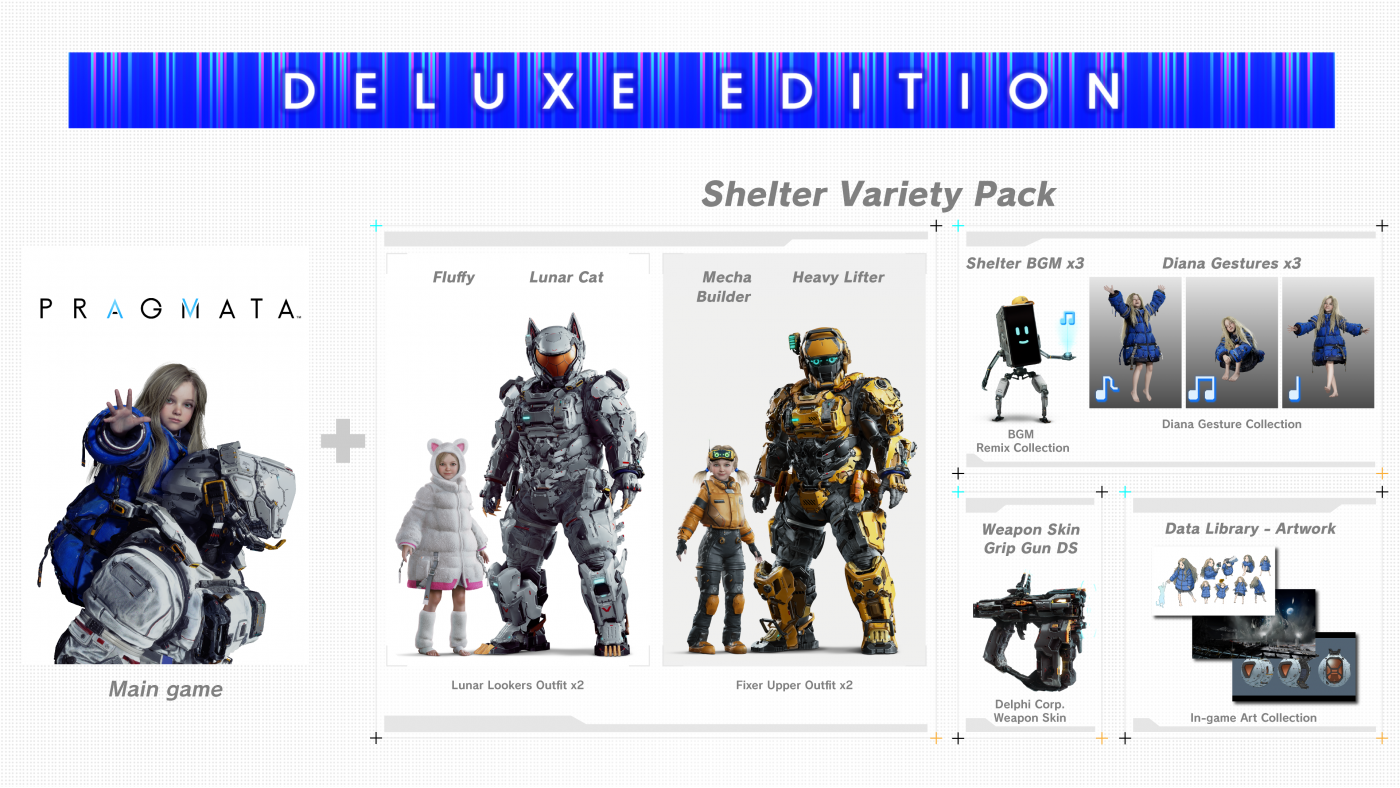
The Deluxe Edition is a bundle that includes the main game and the Shelter Variety Pack.
Shelter Variety Pack Contents:
- Hugh Outfit - Heavy Lifter
- Hugh Outfit - Lunar Cat
- Diana Outfit - Mecha Builder
- Diana Outfit - Fluffy
- Weapon Skin - Grip Gun DS
- Shelter BGM - Memories Are You (Lo-fi Ver.)
- Shelter BGM - Dawn (EDM Ver.)
- Shelter BGM - Shelter (Jazz Ver.)
- Diana Gesture - Drowsy
- Diana Gesture - Pumped Up
- Diana Gesture - Stepping
- Data Library - Artwork
Pre-order Contents:
- Hugh Outfit - Neo Bushido
- Diana Outfit - Neo Kunoichi
Play as Hugh and Diana in samurai and ninja inspired costumes from the Sengoku Period.
The above content may also become available at a later date.
Capcom’s newest IP—PRAGMATA. An all-new Science Fiction action adventure with its own unique hacking twist!
It is the near future, and protagonists Hugh and his android companion Diana, must work together as they make their way through the cold lunar research station.
©CAPCOM
PRAGMATA is a trademark and/or registered trademark of CAPCOM CO., LTD. and/or its subsidiaries in the U.S. and/or other countries.
Game details
| Platform | Steam |
| Developer | CAPCOM Co., Ltd. |
| Publisher | Capcom Co., Ltd. |
| Release Date | 24.04.2026 00:00 CET |
Steam account is required for game activation and installation.
Windows Requirements
Minimum:
- Requires a 64-bit processor and operating system
- OS: Windows 11 (64 bit)
- Processor: Intel Core i5-8500 / AMD Ryzen 5 3500
- Memory: 16 GB RAM
- Graphics: NVIDIA GeForce GTX 1660 6 GB / Radeon RX 5500 XT 8 GB
- DirectX: Version 12
- Network: Broadband Internet connection
- Storage: 40 GB available space
- Additional Notes: Estimated performance when set to "Performance" preset: 1080p/45 fps. Framerate might drop in graphics-intensive scenes. SSD recommended.
Recommended:
- Requires a 64-bit processor and operating system
- OS: Windows 11 (64 bit)
- Processor: Intel Core i7-8700 / AMD Ryzen 5 5500
- Memory: 16 GB RAM
- Graphics: NVIDIA GeForce RTX 2060 Super 8GB / Radeon RX 6600 8GB
- DirectX: Version 12
- Network: Broadband Internet connection
- Storage: 40 GB available space
- Additional Notes: Estimated performance when set to "Balanced" preset: 1080p/60 fps. Frame rate might drop in graphics-intensive scenes. AMD Radeon RX 6700 XT 12GB or NVIDIA GeForce RTX 3060 12GB required to support ray tracing. SSD recommended.
How to Redeem a Product on Steam
-
1. Open the Steam Client or Steam Website
- Steam Client: Launch the Steam application on your computer.
- Steam Website: Alternatively, use a web browser to visit Steam's official website.
-
2. Log in to Your Steam Account
- If you're not already logged in, enter your Steam username and password to access your account.
- If you don’t have a Steam account, create one by following the on-screen prompts.
-
3. Navigate to the "Games" Menu
- In the Steam client, click on the Games menu at the top of the window. From the dropdown, select Activate a Product on Steam....
-
If you're using the website:
- In the top right corner, click on your profile name.
- Select Account details > Activate a Steam Product from the dropdown.
-
4. Enter the Steam Code
- A pop-up window will appear. Click Next.
- Enter the Steam code (the product key) in the provided box. This code is usually a 15-25 character string containing letters and numbers.
-
6. Finish the Redemption
- Once successfully redeemed, the game or content will be added to your library.
-
7. Download or Install the Product
- Go to your Library to find the game or content.
- If it’s a game, click on it and select Install to begin downloading.