
Headquarters: World War II - Market Garden
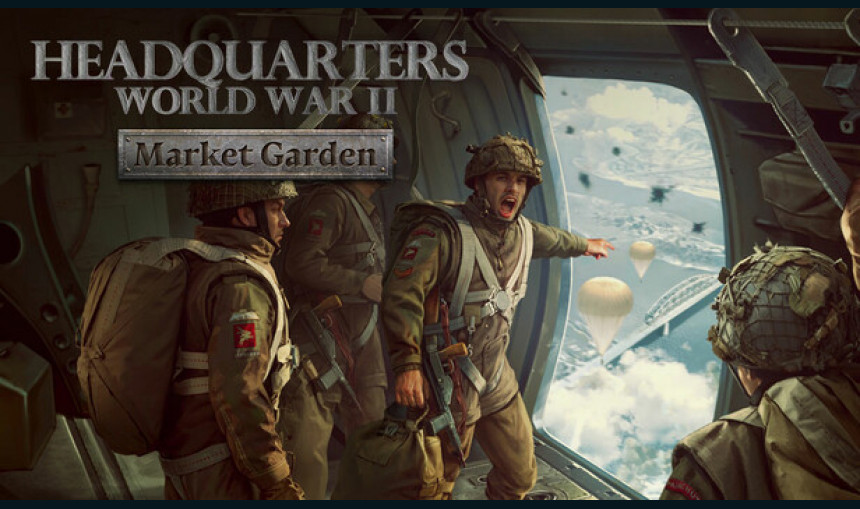
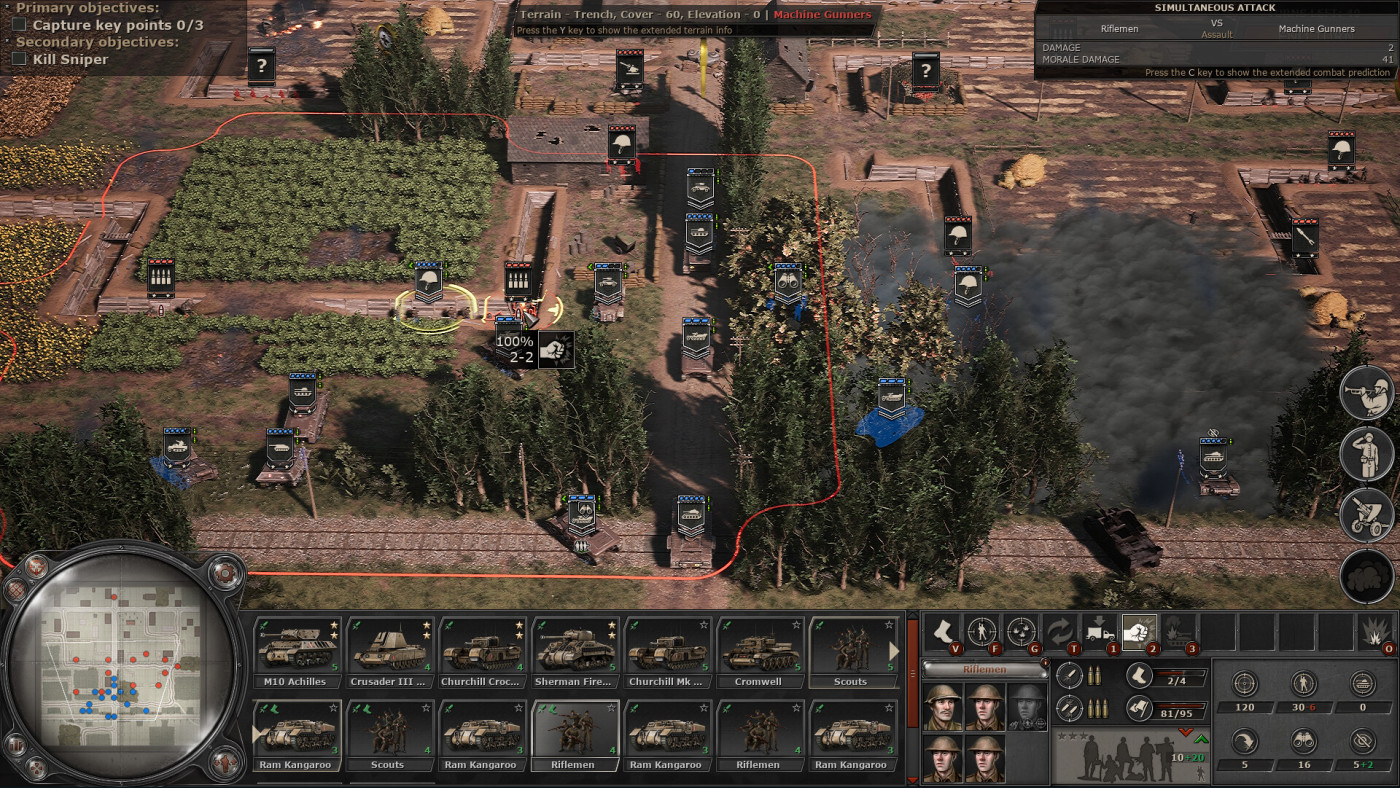
Command the British forces in Operation Market Garden. Fight against the powerful German units in an 8-mission campaign and save the day by making the best out of difficult tactical situations. Battle for iconic locations, command new units, assign heroes, and be victorious!
7.74€
8.50€ 21% off
Interface: English, French, German, Spanish - S... View all
About the game
Headquarters: World War II - Market Garden introduces a new British campaign with 8 meticulously crafted battles covering the events of Operation Market Garden. Your force has to reach the paratroopers holding the key bridges as soon as possible. However, nothing goes according to plan - and your troops have to deal with the ensuing chaos.
FACE POWERFUL ENEMY
You will face powerful German units dead set on stopping your advance. Only your tactical prowess will allow your forces to break through the enemy lines.
COMMAND NEW UNITS
10 additional unit models are available in both campaign and skirmish/multiplayer modes.
CONTINUE THE STORY
After the Normandy landings of the summer of 1944, you can now see the story continued with the September 1944 events of Operation Market Garden. Keep going and keep the German forces on the back foot. Fight your way through the enemy lines in 8 new hand-crafted scenarios and come out victorious.
VISIT THE ICONIC LOCATIONS:
Liberate Nijmegen and Eindhoven
Cross the Waal using the Waalbrug Bridge
Storm Fort Beneden-Lent together with American paratroopers
NEW CONTENT SUMMARY:
8 mission-long campaign with storytelling elements that will challenge your tactical skill
10 new units to use in both campaign and skirmish/multiplayer
3 new British heroes
Lots of new visual assets create mesmerizing locations of the WW2-period Netherlands
UNITS LIST
New UK units:
AEC Mk III
A30 Challenger
BL 5.5-inch medium gun
M7 Priest
Staghound Tulip
New USA units:
Sherman Calliope
G.M.C. M12
New German units:
Nashorn
Panzer IIL
Hummel
SCENARIOS LIST:
Road to Valkenswaard
Liberation of Eindhoven
Liberation of Nijmegen
The Battle of Son
The Waal Crossing
The Elst Assault
The Battle of Highway 69
Operation Berlin (Arhnem)
2024 Slitherine Ltd. All Rights Reserved. Headquarters: World War II, Slitherine Ltd. and their Logos are all trademarks of Slitherine Ltd. Developed by Starni Games and Slitherine Ltd. All other marks and trademarks are the property of their respective owners.
Game details
| Platform | Steam |
| Developer | Starni Games |
| Publisher | Slitherine Ltd. |
| Release Date | 25.09.2024 16:00 CET |
Steam account is required for game activation and installation.
This content requires the base game Headquarters: World War II on Steam in order to play.
Windows Requirements
Minimum:
- Requires a 64-bit processor and operating system
- OS: 64-bit Windows 10
- Processor: i5-4460 (or equivalent)
- Memory: 8 GB RAM
- Graphics: Geforce GTX 950 (2GB VRAM)
- DirectX: Version 11
- Storage: 35 GB available space
Recommended:
- Requires a 64-bit processor and operating system
- OS: 64-bit Windows 10
- Processor: i5-6400 (or equivalent)
- Memory: 16 GB RAM
- Graphics: Geforce GTX 1060 (6GB VRAM)
- DirectX: Version 11
- Storage: 35 GB available space
How to Redeem a Product on Steam
-
1. Open the Steam Client or Steam Website
- Steam Client: Launch the Steam application on your computer.
- Steam Website: Alternatively, use a web browser to visit Steam's official website.
-
2. Log in to Your Steam Account
- If you're not already logged in, enter your Steam username and password to access your account.
- If you don’t have a Steam account, create one by following the on-screen prompts.
-
3. Navigate to the "Games" Menu
- In the Steam client, click on the Games menu at the top of the window. From the dropdown, select Activate a Product on Steam....
-
If you're using the website:
- In the top right corner, click on your profile name.
- Select Account details > Activate a Steam Product from the dropdown.
-
4. Enter the Steam Code
- A pop-up window will appear. Click Next.
- Enter the Steam code (the product key) in the provided box. This code is usually a 15-25 character string containing letters and numbers.
-
6. Finish the Redemption
- Once successfully redeemed, the game or content will be added to your library.
-
7. Download or Install the Product
- Go to your Library to find the game or content.
- If it’s a game, click on it and select Install to begin downloading.