
Headquarters: World War II - Ardennes


Headquarters: World War II - Ardennes is the second DLC for Headquarters: World War II, a fast-paced turn-based strategy game where your battlefield tactics are as important as your army management skills.
11.81€
12.75€ 20% off
Interface: English, French, German, Spanish - S... View all
About the game
Headquarters: World War II - Ardennes is the second DLC for Headquarters: World War II, a fast-paced turn-based strategy game where your battlefield tactics are as important as your army management skills.
EXPERIENCE TWO BRAND-NEW CAMPAIGNS
Engage in the clash of titans in two gripping campaigns—one for Germany and one for the US. Battle through 16 challenging encounters set against a stunning winter backdrop.
PLAY AS BOTH SIDES
Command both German and US troops in a thrilling narrative that shifts perspectives. First, lead the German offensive through the rugged Ardennes, then switch gears to orchestrate the Allied counterattack. Relive the key moments of history from both sides.
COMMAND NEW UNITS AND STRATEGIES
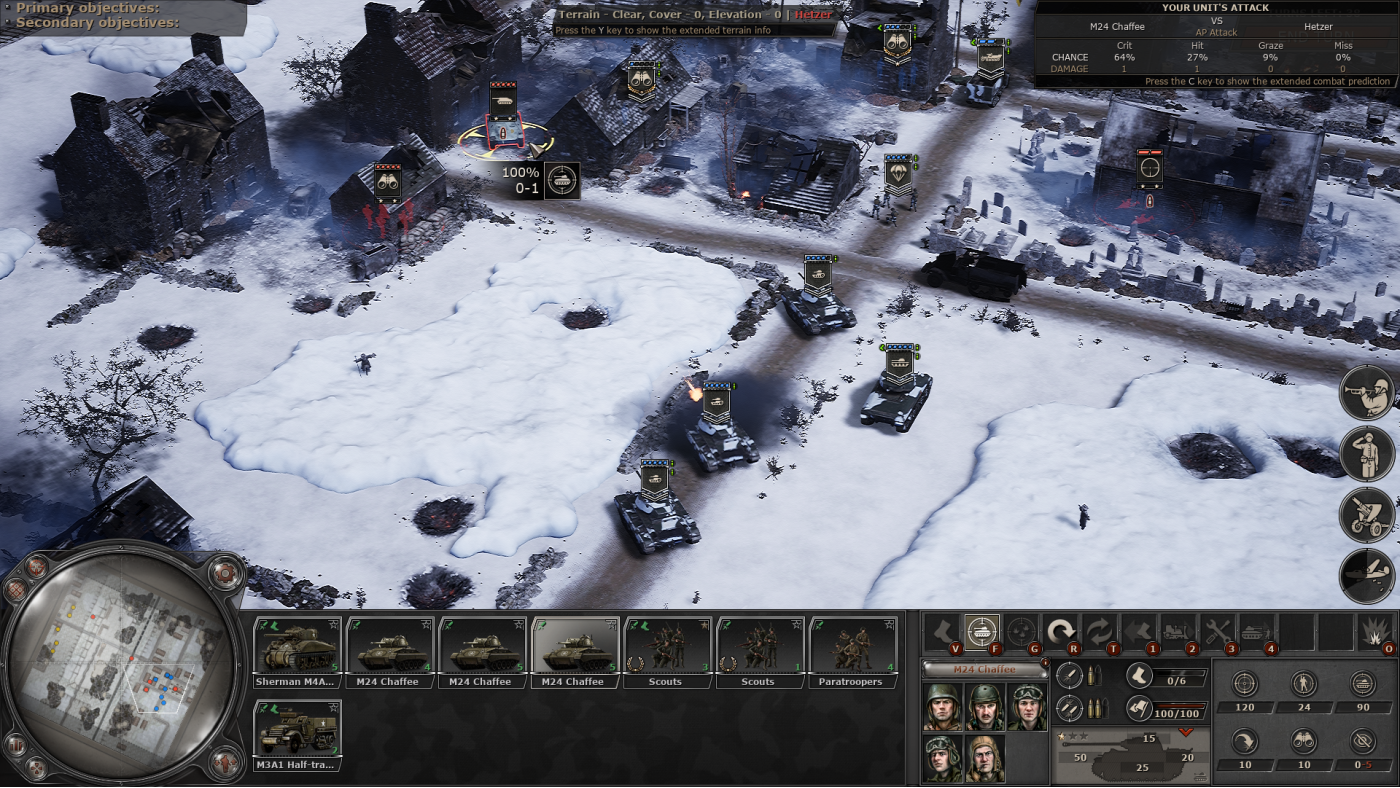
Unlock 12 additional unit models, including advanced US and UK tanks capable of facing off against the finest German armour. Use these new assets to craft your winning strategy in both campaign and skirmish/multiplayer modes.
UNFOLD THE NEXT CHAPTER
After covering the Normandy landings in the main game and the battles of Operation Market Garden in the first DLC, you can now dive into the events of December 1944. As the Allies fight to push back a desperate German offensive, you’ll advance closer to Berlin while facing fierce challenges along the way.
EXPERIENCE WINTER BATTLES IN ARDENNES:
Save the encircled troops at Bastogne
Beat back the German advance at Wardin
Live through the hard-fought Battle of St. Vith
ENJOY THE NEW CONTENT:
2 new campaigns with eight missions of story-driven adventure that will challenge your tactical skills
12 new units that expand your tactical options
6 new heroes
Stunning winter environments to explore
New weather and terrain types, winter uniforms and camouflage, awards and achievements
UNITS LIST
New USA units:
M26 Pershing
M24 Chaffee
M36 tank destroyer
3-inch gun M5
T26Е4 “Super Pershing”
New German units:
Jagdpanzer IV
Panzerwerfer 42
Wirbelwind
New UK units:
M24 Chaffee
A34 Comet
Centurion Mk.1
Sherman Firefly Tulip
SCENARIOS LIST
German campaign:
Battle for Auw
Breakthrough at Andler
Encirclement at Schoenberg
Battle of the Schnee Eifel Pocket
St. Vith Assault
Ourthe Crossing
Rochefort Assault
Push for Celles
US campaign:
Reconnaissance at Martelange
Breakthrough at Burnon
Battle for Chaumont
Battle for Bigonville
Push for Bastogne
Battle of Sibret
Mageret Assault
Wardin Counterattack
2025 Slitherine Ltd. All Rights Reserved. Headquarters: World War II, Slitherine Ltd. and their Logos are all trademarks of Slitherine Ltd. Developed by Starni Games and Slitherine Ltd. All other marks and trademarks are the property of their respective owners.
Game details
| Platform | Steam |
| Developer | Starni Games |
| Publisher | Slitherine Ltd. |
| Release Date | 18.02.2025 16:00 CET |
Steam account is required for game activation and installation.
This content requires the base game Headquarters: World War II on Steam in order to play.
Windows Requirements
Minimum:
- Requires a 64-bit processor and operating system
- OS: 64-bit Windows 10
- Processor: i5-4460 (or equivalent)
- Memory: 8 GB RAM
- Graphics: Geforce GTX 950 (2GB VRAM)
- DirectX: Version 11
- Storage: 35 GB available space
Recommended:
- Requires a 64-bit processor and operating system
- OS: 64-bit Windows 10
- Processor: i5-6400 (or equivalent)
- Memory: 16 GB RAM
- Graphics: Geforce GTX 1060 (6GB VRAM)
- DirectX: Version 11
- Storage: 35 GB available space
How to Redeem a Product on Steam
-
1. Open the Steam Client or Steam Website
- Steam Client: Launch the Steam application on your computer.
- Steam Website: Alternatively, use a web browser to visit Steam's official website.
-
2. Log in to Your Steam Account
- If you're not already logged in, enter your Steam username and password to access your account.
- If you don’t have a Steam account, create one by following the on-screen prompts.
-
3. Navigate to the "Games" Menu
- In the Steam client, click on the Games menu at the top of the window. From the dropdown, select Activate a Product on Steam....
-
If you're using the website:
- In the top right corner, click on your profile name.
- Select Account details > Activate a Steam Product from the dropdown.
-
4. Enter the Steam Code
- A pop-up window will appear. Click Next.
- Enter the Steam code (the product key) in the provided box. This code is usually a 15-25 character string containing letters and numbers.
-
6. Finish the Redemption
- Once successfully redeemed, the game or content will be added to your library.
-
7. Download or Install the Product
- Go to your Library to find the game or content.
- If it’s a game, click on it and select Install to begin downloading.